Audit and incidents
Panic mode
One button ends every session in scope within seconds and refuses every new one. Lifting a full freeze takes several people, each with their own key.
Scopes#
| Freeze | Who may trigger | Effect |
|---|---|---|
| a user | organization administrators, incident responders | that member's connections and console sessions |
| an asset | same | every connection to that asset, suspected compromised |
| an organization | same | every member and every asset of the organization |
| the installation | installation administrators, installation incident responders | everything, and the console becomes read-only |
Every freeze, whatever its scope:
- ends the open connections in scope: each gateway closes them at its next heartbeat, within about five seconds;
- refuses every new connection in scope, whatever the protocol, the gateway, the site connector or the relay;
- refuses new live views and shared-session joins;
- ends the console sessions of the users in scope. They may sign in again, and still cannot connect.
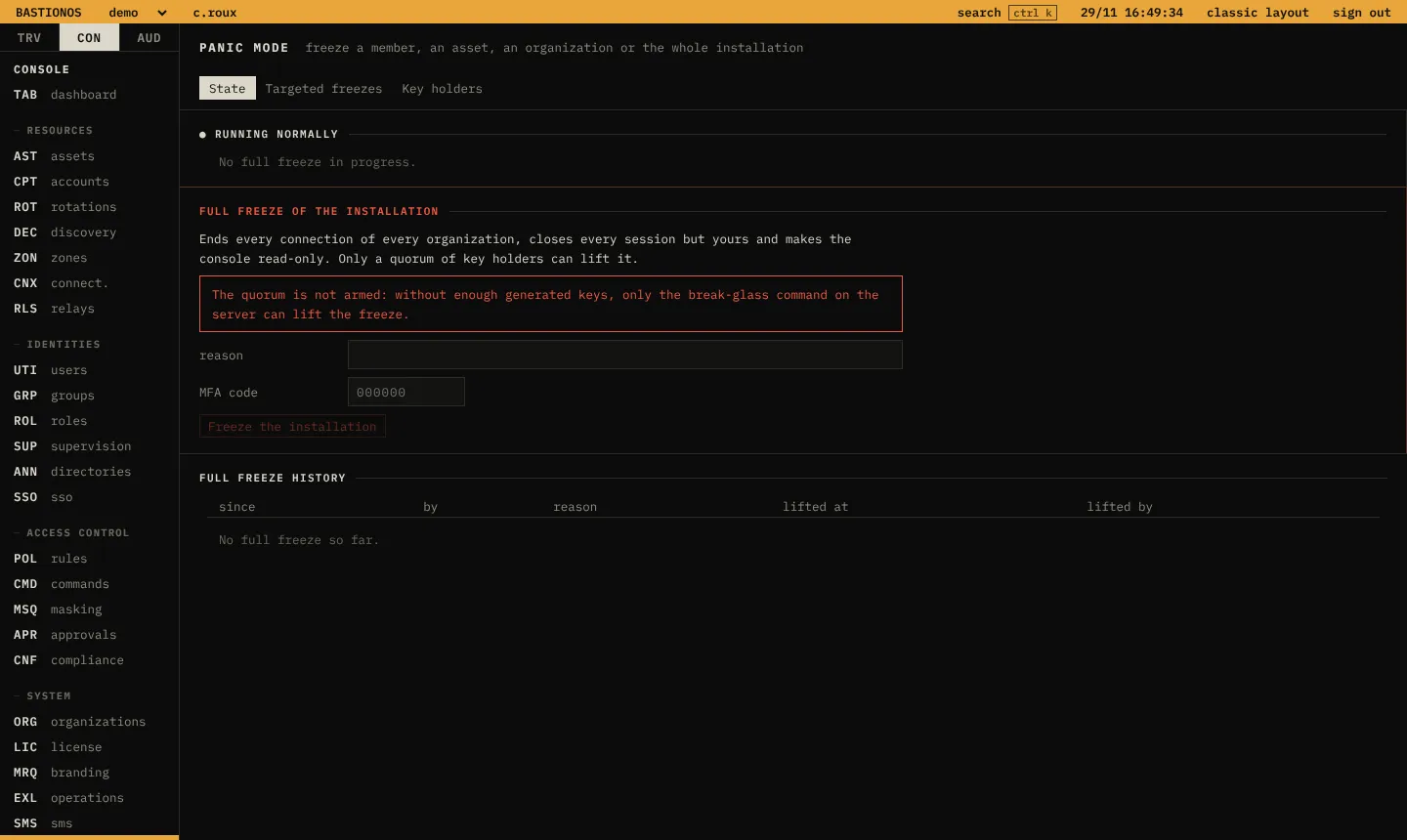
The full freeze also makes the console and the API read-only: only signing in and out, the second factor and panic mode itself still work. A targeted freeze leaves the console usable, because administrators need it to disable accounts, change policies and rotate secrets before lifting.
Every signed-in user sees a banner while the installation is frozen.
Trigger#
Open Console → System → Panic mode. The State tab freezes the installation; Targeted freezes freezes a user, an asset or an organization. Each asks for a reason and the code of your authenticator app. Triggering never waits for a missing setup: a user without an app can still freeze, and the audit says so.
For the full freeze, two choices are offered after the button:
- Freeze BastionOS: the full freeze above.
- Freeze BastionOS and OpenBao: also seals OpenBao, so that no secret can be read at all, even by a compromised control plane. This choice is available only when OpenBao is dedicated to BastionOS (the bundled one, or yours used by BastionOS alone), and the installation setting allows it.
Sealing never blocks the freeze: if OpenBao refuses to seal, the freeze holds and the console says so. While OpenBao is sealed, nothing that needs a secret works: connections, replays, audit signatures. The console, sign-in and the lift do not need it.
Lift#
- A targeted freeze is lifted by whoever triggered it, or by an administrator of the organization, with a reason and a code.
- The full freeze needs a quorum: K distinct key holders each present their own key, signed in as themselves with their second factor. The K-th presentation lifts the freeze. A lift in progress expires 15 minutes after its first key.
When OpenBao was sealed, the State tab offers a form to type OpenBao's own unseal keys, one at a time. Each goes straight to OpenBao and is never stored.
Key holders#
In Panic mode → Key holders, an installation administrator chooses N holders (2 to 10 active users with an authenticator app) and a threshold K (2 to N; 3 and 2 by default). Each holder then generates their own key, signed in, with their second factor. The key is shown once, as a BPK1-… text: store it in a password manager or a safe. BastionOS keeps only a hash.
- A key works only for its holder: a stolen key alone, or a stolen account alone, lifts nothing.
- The quorum is armed once K holders have generated their key. The console warns while it is not.
- Once armed, changing the holders or the threshold must be approved by K current holders, the same way as a lift. A stolen administrator account therefore cannot name accounts it controls.
Without the console#
From a shell on the bastion host, with the database at hand, break-glass commands freeze, show and lift without the console, and without a quorum. They are audited with the actor break_glass:
$ sudo bastionos compose exec -T controlplane service admin panic status
$ sudo bastionos compose exec -T controlplane service admin panic freeze --reason "intrusion on web-01"
$ sudo bastionos compose exec -T controlplane service admin panic lift --id <freeze id> --reason "contained"A full freeze triggered while the quorum is not armed can only be lifted this way.
Rehearse it#
Rehearse on a test installation: arm the quorum, trigger a full freeze, check that sessions end, lift it with two holders. Make sure each holder knows where their key is before you need it.